
Troubleshooting SVSMS Tracking Issues: A Comprehensive Guide for Enterprises
Discover effective troubleshooting techniques for SVSMS tracking issues with our comprehensive guide tailored for South African enterprises. Optimize message delivery and enhance communication reliability.
SVSMS (Secure Very Short Message Service) tracking is a critical component for enterprises that rely on SMS for secure communication and transactional purposes. When issues arise in tracking SVSMS messages, it can lead to operational disruptions and hinder effective communication with clients. In this comprehensive guide, we will explore common issues enterprises face in SVSMS tracking, along with practical troubleshooting steps and expert insights tailored to meet the needs of IT decision-makers and compliance officers.
Understanding SVSMS Tracking
Before diving into troubleshooting procedures, it's essential to understand how SVSMS tracking functions. SVSMS tracking allows enterprises to monitor the delivery status of SMS messages, providing insights into whether messages have been successfully sent, delivered, or encountered errors. Proper tracking ensures compliance with regulations and enhances customer satisfaction by maintaining open lines of communication.
Key Components of SVSMS Tracking
- Delivery Reports: Provides real-time notifications on the status of sent messages.
- Error Codes: Indicates issues encountered during message transmission, essential for troubleshooting.
- Integration Logs: Tracks interactions between communication systems, helping identify potential integration issues.
- User Feedback: Collects input from recipients to determine message reception and engagement.
Common SVSMS Tracking Issues
Enterprises may encounter several common issues that impact SVSMS tracking:
Step-by-Step Troubleshooting Guide
To effectively address SVSMS tracking issues, enterprise teams can follow a systematic troubleshooting approach:
Step 1: Review Delivery Reports
Begin by checking the delivery reports for recent messages. Identify if there are patterns in delivery failures, such as specific recipients or message types.
Step 2: Analyze Error Codes
Look into error codes from the SVSMS platform. Each code provides insight into the underlying issue, allowing more targeted problem resolution.
Step 3: Check Integration Logs
Ensure that all integration points between your SMS service and existing systems are functioning as intended. Review logs for any failures or inconsistencies.
Step 4: Validate Recipient Information
Ensure that recipient numbers are accurate and up-to-date. Outdated or incorrect information can lead to delivery issues.
Step 5: Monitor System Performance
Regularly check your SMS system's performance metrics, including server load and response times, to preemptively catch potential issues before they escalate.
Enhancing SVSMS Tracking Reliability
To mitigate future SVSMS tracking issues, enterprises should adopt proactive measures:
Best Practices for Reliable Tracking
- Regular System Updates: Ensure your SVSMS tools and integration APIs are up-to-date to leverage enhancements and security improvements.
- User Training: Conduct regular training sessions to familiarize team members with the SVSMS platform and troubleshooting techniques.
- Feedback Loop Implementation: Create a mechanism for user feedback to identify and address any recurring issues rapidly.
- Establish Monitoring Protocols: Implement continuous monitoring to catch delivery problems proactively before they affect operational workflows.
Conclusion
In summary, troubleshooting SVSMS tracking issues requires a systematic approach, leveraging delivery reports, error codes, and integration logs. By following the outlined steps and adopting best practices, enterprises can enhance tracking reliability, decrease operational interruptions, and maintain effective communication with their customers. By prioritizing SVSMS tracking management, companies can not only optimize communication strategies but also build long-lasting relationships grounded in trust and transparency.
Key Features Include
Discover our comprehensive solution features designed to transform your business communication experience

Personalized Microsites
Bidvest Data sends on average more than 10 million personalized SMS/SV SMS messages per month, with daily peaks exceeding 2 million messages. This comprises mainly of transactional notifications and hosted transactional data.

Secure and Trackable
The SMS channel delivers a secure, shortened personalized URL to the consumer, directing them to their unique microsite. All consumer activity can be tracked.

Zero Rated Data
PDF documents, HTML content, videos and animations can be hosted on our Zero Rated Data domains. Reverse billing of data on these domains ensure access for end users to content at no cost. Bidvest Data offers this service on all South African and Namibian mobile networks.

Customizable
Bidvest Data offers custom-built, screen adaptive, HTML environments, enabling features like animation, rotating GIFs, and interactive buttons.

Large File Batch and Near Real Time Singular Sending
Our service includes automated large file batch sending through sFTP data transfer. The data can selectively drive template messaging. Near real-time SMS sending is facilitated through our API, using templates or dynamic text.
Integrated Failover to the Next Available Channel
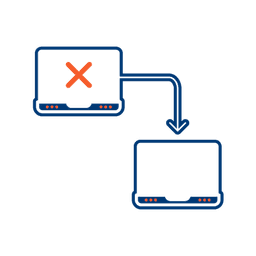
Where another channel in our omnichannel platform is unsuccessful in delivering a message, we can automatically fail over to SMS. Priority and fail over channels are configurable.

Detailed Reporting
Bidvest Data provides near-real-time and periodic aggregate batched reporting on consumer engagement, including link tracking, SMS and SV SMS delivery status, and customized reports on microsite access.
Ready to Transform Your Sms And Svsms?
Get started today and see immediate results
Frequently Asked Questions
Get answers to common questions about Sms And Svsms