
Setting Up Customizable Email Communications: A Comprehensive Guide for Enterprises in South Africa
Discover how to set up customizable email communications effectively for your enterprise. Enhance customer engagement, comply with regulations, and optimize messaging strategies.
In the fast-paced world of digital communications, enterprises in South Africa must stay ahead by implementing advanced and customized email communication strategies. This detailed guide will explore how to set up customizable email communications effectively, addressing the specific needs of IT decision-makers, compliance officers, procurement managers, and operational heads across various sectors including financial services, healthcare, insurance, logistics, and government.
Understanding the Importance of Customizable Email Communications
Customizable email communications are vital for enterprises seeking to engage their clients effectively, maintain compliance with regulations like POPIA, and enhance overall operational efficiency. By allowing organizations to tailor their messaging, timing, and design, customizable email communications can improve response rates and customer satisfaction while minimizing risks associated with generic communications.
Key Components of Customization
Essential Features for Effective Customization
- Dynamic Content: Create personalized messages based on recipient data such as previous interactions, preferences, and demographics.
- Template Management: Develop and manage custom templates that maintain your brand's identity, allowing for quick edits and updates.
- Automated Workflows: Implement automated sequences to deliver timely communications based on user actions, such as welcome emails, reminders, and follow-ups.
- Tracking and Analytics: Utilize metrics to monitor open rates, click-through rates, and overall engagement with your emails to continually refine your strategies.
Step-by-Step Guide to Setting Up Customizable Email Communications
1. Define Your Objectives
Begin by identifying the specific goals you wish to achieve with your email communications. Consider factors such as improving customer engagement, increasing sales conversions, or enhancing product awareness.
2. Choose the Right Email Platform
Select an email communication platform that supports customization capabilities and API integration. Make sure it offers features like dynamic content, template management, and robust analytics.
3. Design Your Templates
Create visually appealing and mobile-responsive email templates that reflect your brand identity. Incorporate placeholders for dynamic content to ensure personalization.
4. Segment Your Audience
Divide your email list based on customer behaviors, preferences, or demographics. This allows for targeted messaging that resonates with each segment.
5. Implement and Test
Launch your customizable email campaigns while continuously testing different aspects such as subject lines, content formatting, and delivery times for improved performance.
Best Practices for Effective Email Communication
To maximize the impact of your customizable email communications, consider the following best practices:
Key Best Practices:
- Maintain Compliance: Ensure adherence to POPIA and other relevant regulations to protect customer data and build trust.
- Focus on Mobile Optimization: Design emails to be easily viewable on mobile devices, as a significant portion of users access emails through smartphones.
- Engage with Compelling CTAs: Include clear and action-oriented call-to-actions that guide recipients toward the desired outcome.
- Personalize Beyond the Basics: Use insights from customer behavior to tailor emails beyond simply addressing the recipient by name.
Measuring the Effectiveness of Your Email Communications
Once your customizable email communications are underway, it is crucial to analyze their performance continuously. Consider the following key performance indicators (KPIs):
Critical KPIs for Analysis:
- Open Rate: Indicates the percentage of recipients who opened your email.
- Click-Through Rate: Measures how many recipients clicked on links within your email.
- Conversion Rate: Assesses the number of recipients who undertook the desired action post-email engagement.
- Unsubscribe Rate: Identifies how many recipients opted to unsubscribe from your mailing list.
Conclusion: The Future of Customizable Email Communications
By setting up customizable email communications, enterprises can enhance their customer interactions significantly, ensuring messages are relevant and timely. With the right platform and personalization strategies, organizations can foster strong relationships with clients and stakeholders, leading to improved business outcomes. Invest in this indispensable communication channel to keep your enterprise competitive in the digital era.
Key Features Include
Discover our comprehensive solution features designed to transform your business communication experience
Managing your sending domains
We implement your designs, images and artwork for optimal delivery. We measure and manage spam ratings, and we monitor and manage blacklisting and reputation of sending domains.

Zero Rated Data
PDF documents, HTML content, videos and animations can be hosted on our Zero Rated Data domains. Reverse billing of data on these domains ensure access for end users to content at no cost. Bidvest Data offers this service on all South African and Namibian mobile networks.
Customizable
Bidvest Data offers custom-built, screen adaptive, HTML environments, enabling features like animation, rotating GIFs, and interactive buttons in the email body and built into the unique microsite.
Large File Batch and Near Real Time Singular Sending
Our service includes automated large file batch sending through sFTP data transfer. The data can selectively drive template messaging. Near real-time email sending is facilitated through our API, using templates or dynamic text.
Integrated Failover to the next available channel
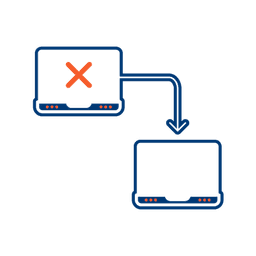
Where another channel in our omnichannel platform is unsuccessful in delivering a message, we can automatically fail over to email. Priority and fail over channels are configurable.
Detailed Reporting
Bidvest Data provides near-real-time and periodic aggregate batched reporting on consumer engagement, including link tracking, email delivery status, and customized reports on microsite access.
Ready to Transform Your EMAIL?
Get started today and see immediate results
Frequently Asked Questions
Get answers to common questions about EMAIL