
Troubleshooting Email Report Issues: A Comprehensive Guide for South African Enterprises
Discover practical solutions to troubleshoot email report issues, ensuring effective communication within your enterprise. Ideal for IT decision-makers and operational heads in South Africa.
Email reporting is a crucial aspect of digital communication for enterprises across South Africa. As businesses rely increasingly on email for delivering important reports, regular issues can arise, leading to potential disruptions in workflows and client communications. In this guide, we delve deep into common email report issues, helping IT decision-makers and operational heads effectively troubleshoot to ensure seamless communication.
Understanding Common Email Report Issues
Email report issues can arise due to several factors including technical configurations, user errors, or external systems. Understanding the most common problems ensures timely interventions and sustained operational efficiency.
Typical Email Report Issues
- Delivery Failures: Emails may sometimes fail to reach the intended recipients due to incorrect addresses or issues with the mail server.
- Formatting Errors: Reports may appear misformatted when received, causing difficulties in reading and interpretation.
- Attachment Issues: Large or unsupported file types may prevent email reports from being sent or received correctly.
- Spam Filtering: Emails might end up in spam folders if not properly configured, preventing important reports from reaching stakeholders.
- Authentication Problems: Issues related to account verification or improper credentials may hinder email reporting capabilities.
Step-by-Step Troubleshooting Guide
Resolving email report issues requires a systematic approach. Below is a detailed troubleshooting guide that can help identify and rectify common issues affecting email reporting.
Step 1: Check Delivery Status
- Verify that the email address of the recipient is correct and exists.
- Consult your email server’s report logs to determine if there are errors related to delivery.
- Confirm with recipients whether they received the report or check their spam folders.
Step 2: Review Formatting
- Open the report using different email clients to identify if the issue is client-specific.
- Test sending simpler versions of reports or different document formats to check compatibility.
Step 3: Examine Attachments
- Ensure that attachments comply with size limits set by your email service provider.
- Utilize commonly supported file types for attachments, such as PDF or DOCX.
- Consider using file compression tools to reduce file sizes if necessary.
System and Infrastructure Checks
Once the basic troubleshooting steps are performed, IT teams should check system settings and infrastructure that may impact email reporting:
Key Infrastructure Checks
- Email Server Settings: Ensure that server configurations follow the recommended settings and protocols.
- Firewall and Security Protocols: Check that firewalls are not blocking outgoing emails or specific file types.
- Domain Settings: Verify domain configurations, particularly SPF, DKIM, and DMARC settings to minimize spam filtering incidents.
User Education and Best Practices
Empowering your team with knowledge can significantly reduce the frequency of email report issues. Here are best practices for ensuring smooth email reporting.
Best Practices for Users
- Training: Regular training on email protocols and procedures can ensure accuracy in sending reports.
- Creating Templates: Use standardized templates to ensure formatting and attachment size are optimized for delivery.
- Regular Audits: Conduct audits of email practices to identify and mitigate recurring issues.
Identifying the Right Support
Should problems persist, engaging with support teams or service providers may be necessary. Ensure you follow these guidelines:
- Provide detailed logs of the issues being experienced.
- Share examples of affected reports and any steps already taken to resolve the issues.
- Involve the IT team to assist with technical support interactions.
Conclusion
Troubleshooting email report issues is vital for maintaining effective communication in any enterprise setting. By being proactive and implementing systematic checks, businesses can identify issues swiftly, ensuring that critical reports reach stakeholders without delay.
Key Features Include
Discover our comprehensive solution features designed to transform your business communication experience
Managing your sending domains
We implement your designs, images and artwork for optimal delivery. We measure and manage spam ratings, and we monitor and manage blacklisting and reputation of sending domains.

Zero Rated Data
PDF documents, HTML content, videos and animations can be hosted on our Zero Rated Data domains. Reverse billing of data on these domains ensure access for end users to content at no cost. Bidvest Data offers this service on all South African and Namibian mobile networks.

Customizable
Bidvest Data offers custom-built, screen adaptive, HTML environments, enabling features like animation, rotating GIFs, and interactive buttons in the email body and built into the unique microsite.

Large File Batch and Near Real Time Singular Sending
Our service includes automated large file batch sending through sFTP data transfer. The data can selectively drive template messaging. Near real-time email sending is facilitated through our API, using templates or dynamic text.
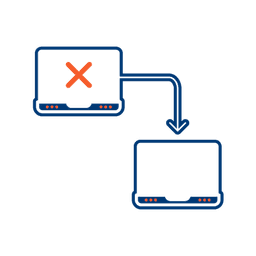
Integrated Failover to the next available channel
Where another channel in our omnichannel platform is unsuccessful in delivering a message, we can automatically fail over to email. Priority and fail over channels are configurable.

Detailed Reporting
Bidvest Data provides near-real-time and periodic aggregate batched reporting on consumer engagement, including link tracking, email delivery status, and customized reports on microsite access.
Ready to Transform Your EMAIL?
Get started today and see immediate results
Frequently Asked Questions
Get answers to common questions about EMAIL