
Troubleshooting Email Failover Issues: A Guide for South African Enterprises
Discover a comprehensive guide on identifying and resolving email failover issues for enterprises in South Africa. Ensure uninterrupted business communication with expert tips and best practices.
Email remains a cornerstone of communication for enterprises, especially those handling sensitive data in sectors like finance, healthcare, and logistics. However, email failover issues can arise, impacting communication continuity and business operations. This comprehensive guide offers insights into identifying, troubleshooting, and resolving email failover issues to ensure seamless communication for your organization.
Understanding Email Failover
Email failover refers to the process of maintaining email delivery and functionality when the primary email server is down or experiencing issues. This is critical for enterprises that depend on email for transactional communications, client correspondence, and regulatory compliance. Effective failover mechanisms ensure that emails are rerouted to backup servers or alternative systems, thus minimizing disruptions.
Common Causes of Email Failover Issues
- Server Outages: Hardware failure or server overload can lead to downtime.
- Network Issues: Interruptions in network connectivity can prevent email clients from accessing servers.
- DNS Configuration Errors: Misconfigured Domain Name System settings can hinder email routing.
- Firewall Restrictions: Security settings may inadvertently block access to backup servers.
- Software Bugs: Application failures may disrupt email sending and receiving capabilities.
Step-by-Step Troubleshooting Guide
To address email failover issues effectively, follow this structured troubleshooting guide:
- Identify the Issue: Determine whether the problem lies with sending, receiving, or both. Use diagnostic tools to identify error messages or logs.
- Check Server Status: Confirm if the primary mail server is operational. If not, verify the status of backup servers.
- Review DNS Settings: Ensure that MX (Mail Exchange) records point to the correct backup servers and that TTL (Time to Live) values are appropriate for failover.
- Inspect Network Connectivity: Perform ping and traceroute tests to check for network disruptions affecting email delivery.
- Examine Firewall Settings: Ensure firewalls are configured to allow traffic to both primary and backup email servers.
- Test Connectivity from Various Clients: Confirm that multiple devices, including desktop and mobile, can access email services.
- Log Analysis: Review logs from mail servers to identify patterns, errors, or blocked connections.
- Seek Vendor Support: If issues persist, contact your email service provider for assistance. They can provide insights specific to their platform.
Best Practices for Preventing Email Failover Issues
To mitigate future email failover issues, consider implementing these best practices:
Proactive Strategies
- Redundancy Planning: Maintain multiple email servers to ensure redundancy and fast switchover capabilities.
- Regular Maintenance: Schedule periodic server and software updates, and conduct routine network audits to minimize errors.
- Monitor Server Performance: Utilize monitoring tools to track server loads, response times, and connectivity issues.
- Document All Configurations: Maintain documentation for all email server settings, policies, and network configurations to simplify troubleshooting.
- Run Simulation Exercises: Conduct regular failover tests to ensure that systems work as intended during actual outages.
Conclusion
In today's digital ecosystem, effectively managing email failover issues is crucial for operational continuity. By understanding the underlying causes, following a structured troubleshooting guide, and applying best practices, enterprises can enhance their email resilience. Ensure your team is equipped to tackle any email disruptions with BIDVEST DATA's operational support services, allowing for seamless communication during critical times.
Key Features Include
Discover our comprehensive solution features designed to transform your business communication experience
Managing your sending domains
We implement your designs, images and artwork for optimal delivery. We measure and manage spam ratings, and we monitor and manage blacklisting and reputation of sending domains.

Zero Rated Data
PDF documents, HTML content, videos and animations can be hosted on our Zero Rated Data domains. Reverse billing of data on these domains ensure access for end users to content at no cost. Bidvest Data offers this service on all South African and Namibian mobile networks.

Customizable
Bidvest Data offers custom-built, screen adaptive, HTML environments, enabling features like animation, rotating GIFs, and interactive buttons in the email body and built into the unique microsite.

Large File Batch and Near Real Time Singular Sending
Our service includes automated large file batch sending through sFTP data transfer. The data can selectively drive template messaging. Near real-time email sending is facilitated through our API, using templates or dynamic text.
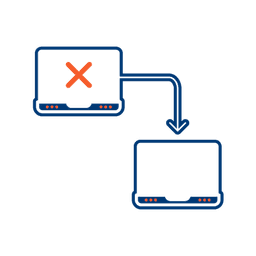
Integrated Failover to the next available channel
Where another channel in our omnichannel platform is unsuccessful in delivering a message, we can automatically fail over to email. Priority and fail over channels are configurable.

Detailed Reporting
Bidvest Data provides near-real-time and periodic aggregate batched reporting on consumer engagement, including link tracking, email delivery status, and customized reports on microsite access.
Ready to Transform Your EMAIL?
Get started today and see immediate results
Frequently Asked Questions
Get answers to common questions about EMAIL