
How to Set Up a Smart Email Service for Your Enterprise: A Comprehensive Guide
Learn how to set up a smart email service tailored for enterprise needs. Discover step-by-step strategies to enhance communication, compliance, and engagement.
In the digital age, communication remains a critical pillar of successful enterprise operations. Smart email services not only facilitate effective communication but also streamline processes and enhance engagement with clients and stakeholders. This guide provides a step-by-step approach to setting up a smart email service that is tailored for complex enterprise needs, ensuring efficiency, compliance, and integration with existing systems.
Understanding Smart Email Services
Smart email services encompass advanced functionalities that go beyond traditional email management. These services typically integrate automation, analytics, security features, and marketing capabilities to optimize communication workflows. When implemented correctly, they can drive significant productivity gains and improved communication accuracy.
Key Features of a Smart Email Service
- Automated Responses: Set up trigger-based automated replies to enhance responsiveness and customer satisfaction.
- Advanced Analytics: Utilize data-driven insights to track engagement rates, open rates, and conversion metrics.
- Segmentation and Targeting: Deliver tailored messaging to specific audience segments for more effective communication.
- Integrations: Connect with other software tools such as CRM systems, marketing platforms, and analytics tools seamlessly.
- Enhanced Security: Ensure compliance with regulations such as POPIA and protect sensitive information through secured email communication.
Step-by-Step Guide to Setting Up Your Smart Email Service
Step 1: Define Your Objectives
Begin with a clear understanding of what you intend to achieve with your smart email service. Consider specific goals such as improving customer engagement, automating marketing workflows, or enhancing internal communication within teams. Identify what success looks like for your organization.
Step 2: Choose the Right Email Service Provider
Select an email service provider (ESP) that meets your enterprise requirements. Look for features such as:
- Scalability to accommodate large volumes of emails
- Security protocols that comply with industry standards
- Customization options for branding and messaging
- Integration capabilities with existing software
- Robust analytics dashboards
Step 3: Integrate and Configure
After selecting your ESP, proceed with integration into your existing systems. Ensure that:
- All necessary APIs are correctly implemented.
- Your email addresses are properly authenticated using SPF, DKIM, and DMARC standards to enhance delivery and security.
- You configure templates for consistency in branding and messaging across communications.
Step 4: Develop Segmented Lists
Creating segmented email lists allows targeted communication. Utilize data analysis to categorize contacts based on demographics, behavior, or previous interactions. This step is fundamental for personalized messaging that resonates better with recipients.
Step 5: Automate and Personalize Communication
Implement automation for sending targeted campaigns based on customer actions. Personalization can be enhanced by:
- Using the recipient's name in the subject line and body text.
- Sending content relevant to the recipient’s behavior or preferences.
- Tailoring email content according to user interactions with your brand.
Step 6: Monitor and Optimize
Utilize analytics tools provided by your ESP to track campaign performance. Regularly review metrics such as:
- Open and click-through rates
- Bounce rates and unsubscribes
- Conversion rates and ROI
Use these insights to refine and optimize future campaigns for better engagement and results.
Ensuring Compliance and Security
As an enterprise, compliance with data protection regulations such as POPIA is non-negotiable. Ensure that your smart email service adheres to the following best practices:
- Obtain explicit consent from recipients before sending marketing emails.
- Ensure all personal data is encrypted and stored securely.
- Provide easy-to-navigate unsubscribe options in every email.
The Benefits of Implementing a Smart Email Service
Implementing a smart email service provides numerous advantages, including:
Key Benefits Overview
- Increased Efficiency: Automation reduces manual tasks and allows teams to focus on strategic initiatives.
- Higher Engagement Rates: Personalization and targeted content lead to improved open and click rates.
- Data-Driven Decisions: Advanced analytics help refine marketing strategies based on real customer interactions.
- Scalability: Smart email solutions can grow with your business, accommodating increased messaging volumes without sacrificing performance.
Conclusion: Elevate Your Communication Strategy
Setting up a smart email service is a strategic investment that can significantly improve communication efficiency and effectiveness within your enterprise. By following this comprehensive guide, IT decision-makers and operational heads can implement a robust email solution tailored to their organization’s unique needs and objectives, ultimately enhancing client engagement and operational success.
Key Features Include
Discover our comprehensive solution features designed to transform your business communication experience
Managing your sending domains
We implement your designs, images and artwork for optimal delivery. We measure and manage spam ratings, and we monitor and manage blacklisting and reputation of sending domains.

Zero Rated Data
PDF documents, HTML content, videos and animations can be hosted on our Zero Rated Data domains. Reverse billing of data on these domains ensure access for end users to content at no cost. Bidvest Data offers this service on all South African and Namibian mobile networks.

Customizable
Bidvest Data offers custom-built, screen adaptive, HTML environments, enabling features like animation, rotating GIFs, and interactive buttons in the email body and built into the unique microsite.
Large File Batch and Near Real Time Singular Sending
Our service includes automated large file batch sending through sFTP data transfer. The data can selectively drive template messaging. Near real-time email sending is facilitated through our API, using templates or dynamic text.
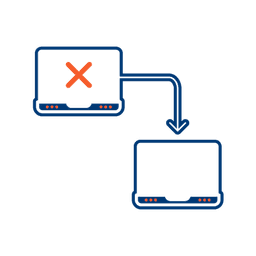
Integrated Failover to the next available channel
Where another channel in our omnichannel platform is unsuccessful in delivering a message, we can automatically fail over to email. Priority and fail over channels are configurable.

Detailed Reporting
Bidvest Data provides near-real-time and periodic aggregate batched reporting on consumer engagement, including link tracking, email delivery status, and customized reports on microsite access.
Ready to Transform Your EMAIL?
Get started today and see immediate results
Frequently Asked Questions
Get answers to common questions about EMAIL