
Setup Guide for Variable Mapping in SMS and Email Communications for Enterprises
Learn effective variable mapping techniques for SMS and email communications to enhance personalization in enterprise messaging. Discover best practices and implementation steps tailored for compliance in South Africa.
Variable mapping in SMS and email communications is a crucial process that enhances personalization and improves engagement rates for enterprises. This comprehensive guide outlines the steps necessary for setting up variable mapping effectively, ensuring that your corporate communications deliver pertinent, personalized information to your audience while adhering to compliance standards in South Africa.
Understanding Variable Mapping in Corporate Communications
Variable mapping refers to the process of replacing placeholders within your SMS and email templates with real data derived from your customer database or CRM systems. This allows businesses to send tailored messages that resonate with the recipient, fostering a more engaging customer experience. In sectors like financial services, healthcare, and logistics, personalized communication can lead to higher response rates and customer satisfaction.
Key Benefits of Variable Mapping for Enterprises
- Personalization: Tailored messages enhance customer engagement and loyalty.
- Efficiency: Automating message personalization reduces manual input and potential errors.
- Compliance: Helps ensure communication adheres to regulations such as POPIA by offering dynamic content relevant to each recipient.
- Higher Conversion Rates: Customized messaging significantly improves the likelihood of desired actions from customers.
Steps to Set Up Variable Mapping for SMS and Email
Setting up variable mapping is straightforward, provided you follow a systematic approach. Here’s a step-by-step guide to implement variable mapping effectively:
Step 1: Define Your Data Requirements
Identify the data points you want to include in your messages. Common examples are:
- First Name
- Last Name
- Account Number
- Transaction Amount
Step 2: Create Your Templates
Develop SMS and email templates that include placeholders for the variables. For example:
Dear {{First Name}},
Your transaction of {{Transaction Amount}} has been processed successfully.
Step 3: Integrate with Your CRM/Data Source
Ensure your messaging platform can connect to your CRM or data source. This includes configuring API integration or data uploads that make the required variables available for mapping.
Step 4: Map Your Variables
Utilize your messaging platform's variable mapping feature to link your message placeholders with actual data points from your CRM. For instance, link {{First Name}} with the field storing customer first names.
Step 5: Test Your Messaging
Conduct tests by sending messages to internal stakeholders to check for proper formatting and data integration. Make adjustments based on feedback received.
Step 6: Monitor and Optimize
Once live, track the performance of your communications. Analyze delivery rates and engagement metrics to optimize future campaigns based on insights gained.
Best Practices for Effective Variable Mapping
Implementing variable mapping can be highly effective for personalized communication, but adherence to certain best practices can enhance its efficiency:
Essential Best Practices
- Data Integrity: Ensure that the data used for variable mapping is accurate and regularly updated.
- Compliance Awareness: Always stay informed of regulations, particularly POPIA, regarding personal data usage.
- Engaging Templates: Use rich media elements and dynamic content where applicable to enhance engagement.
- Regularly Review: Continually assess your messaging templates and data mappings for relevance and effectiveness every quarter.
Key Features Include
Discover our comprehensive solution features designed to transform your business communication experience
Managing your sending domains
We implement your designs, images and artwork for optimal delivery. We measure and manage spam ratings, and we monitor and manage blacklisting and reputation of sending domains.

Zero Rated Data
PDF documents, HTML content, videos and animations can be hosted on our Zero Rated Data domains. Reverse billing of data on these domains ensure access for end users to content at no cost. Bidvest Data offers this service on all South African and Namibian mobile networks.

Customizable
Bidvest Data offers custom-built, screen adaptive, HTML environments, enabling features like animation, rotating GIFs, and interactive buttons in the email body and built into the unique microsite.

Large File Batch and Near Real Time Singular Sending
Our service includes automated large file batch sending through sFTP data transfer. The data can selectively drive template messaging. Near real-time email sending is facilitated through our API, using templates or dynamic text.
Integrated Failover to the next available channel
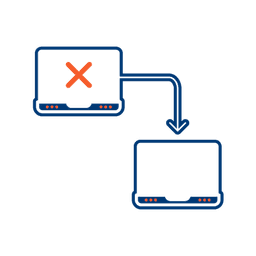
Where another channel in our omnichannel platform is unsuccessful in delivering a message, we can automatically fail over to email. Priority and fail over channels are configurable.

Detailed Reporting
Bidvest Data provides near-real-time and periodic aggregate batched reporting on consumer engagement, including link tracking, email delivery status, and customized reports on microsite access.
Ready to Transform Your EMAIL?
Get started today and see immediate results
Frequently Asked Questions
Get answers to common questions about EMAIL