
Step-by-Step Guide for Email Template Setup in Enterprise Environments
Learn how to set up email templates for enterprise communications with this comprehensive step-by-step guide. Enhance consistency, efficiency, and compliance for your South African business.
Email communication remains a critical component for many South African enterprises, facilitating everything from transactional notifications to marketing messages. A well-structured email template not only enhances communication efficiency but also ensures brand consistency and compliance with various regulations. This guide provides a comprehensive, step-by-step approach to setting up email templates that cater to the unique needs of corporate and medium-sized businesses.
Understanding the Importance of Email Templates in Your Enterprise
Email templates automatically streamline the creation of communications, enabling organizations to enhance branding, improve response times, and ensure compliance with regulations like POPIA. A professionally designed template can also lead to higher engagement rates, helping your business remain competitive in saturated markets.
Key Benefits of Using Email Templates
- Consistency: Templates provide a uniform appearance for all emails, reinforcing brand identity.
- Efficiency: Quicken the email creation process, saving time for your team.
- Compliance: Ensure all communications meet legal requirements by having a standard template.
- Improved Analytics: Track the performance of standardized communications effectively.
Step-by-Step Email Template Setup Guide
Step 1: Define Your Audience
Begin by identifying the target audience for your email communications. Different departments may require specific templates tailored to their operational needs:
- Marketing teams may need promotional templates.
- Customer support may require formats for new tickets or resolution follow-ups.
- Finance departments could need templates for invoices or statements.
Step 2: Choose an Email Service Provider (ESP)
Select an ESP that supports template creation and content management systems that integrate smoothly with your existing workflows. Look out for features like:
- Drag-and-drop editor capabilities
- Responsive design options
- Analytics and reporting tools
Step 3: Establish Brand Guidelines
Ensure all email templates align with your brand’s visual identity. This includes:
- Consistent use of logos, colors, and fonts
- Adherence to tone and messaging guidelines
- Incorporating company disclaimers or compliance notices where necessary
Step 4: Design Your Template
Using the ESP's editor, design your email template while considering key elements:
- Header: Include the company logo and navigation links if appropriate.
- Body: Design the layout for text, images, and call-to-action buttons.
- Footer: Provide essential contact information, social media links, and unsubscribe options.
Step 5: Testing and Optimization
Before launching your templates across your organization:
- Conduct A/B tests with mock audiences to evaluate subject lines and formats.
- Check the template's rendering across different email clients and devices.
- Gather feedback from stakeholders to refine content and design.
Step 6: Implementation and Training
After finalizing your email templates, implement them across your departments. Conduct training sessions to ensure all relevant staff members are familiar with how to use the templates effectively.
Step 7: Monitor Performance
Analyzing the performance of your email communications is crucial for long-term success. Utilize your ESP’s analytics tools to track open rates, click-through rates, and customer engagement metrics. Make adjustments to your templates based on this data to continually improve your email strategy.
Conclusion
Setting up efficient email templates requires a well-thought-out approach tailored to the unique operational needs of your enterprise. By following these steps, your organization can enhance communications, maintain brand consistency, and ensure compliance with industry standards while achieving higher engagement rates.
Key Features Include
Discover our comprehensive solution features designed to transform your business communication experience
Managing your sending domains
We implement your designs, images and artwork for optimal delivery. We measure and manage spam ratings, and we monitor and manage blacklisting and reputation of sending domains.

Zero Rated Data
PDF documents, HTML content, videos and animations can be hosted on our Zero Rated Data domains. Reverse billing of data on these domains ensure access for end users to content at no cost. Bidvest Data offers this service on all South African and Namibian mobile networks.

Customizable
Bidvest Data offers custom-built, screen adaptive, HTML environments, enabling features like animation, rotating GIFs, and interactive buttons in the email body and built into the unique microsite.
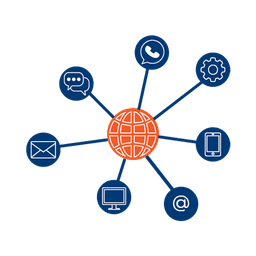
Large File Batch and Near Real Time Singular Sending
Our service includes automated large file batch sending through sFTP data transfer. The data can selectively drive template messaging. Near real-time email sending is facilitated through our API, using templates or dynamic text.
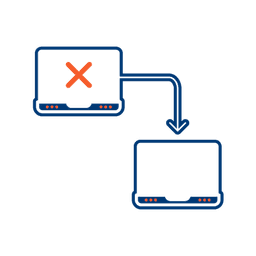
Integrated Failover to the next available channel
Where another channel in our omnichannel platform is unsuccessful in delivering a message, we can automatically fail over to email. Priority and fail over channels are configurable.

Detailed Reporting
Bidvest Data provides near-real-time and periodic aggregate batched reporting on consumer engagement, including link tracking, email delivery status, and customized reports on microsite access.
Ready to Transform Your EMAIL?
Get started today and see immediate results
Frequently Asked Questions
Get answers to common questions about EMAIL