
Insurance Email Template Setup for Secure Communication: A Comprehensive Enterprise Guide
Learn how to set up secure email templates for your insurance communications, ensuring compliance and enhancing security while improving client interactions.
In the insurance industry, secure communication is paramount, especially when handling sensitive customer information and documents. This guide delves into the essentials of setting up email templates that not only enhance security but also improve client interactions. By establishing best practices for email communication, insurance companies can ensure compliance with regulations while maintaining customer trust.
The Importance of Secure Email Communication in Insurance
Emails are often the primary mode of communication for insurance companies, making it crucial to protect both the content and the privacy of the information exchanged. Given the sensitive nature of personal and financial information, implementing secure email practices is not just a compliance requirement—it’s vital for maintaining reputation and trust.
Key Benefits of Using Secure Email Templates
- Enhanced Security: Utilizing secure email templates prevents unauthorized access and protects customer data through encryption and access controls.
- Consistency in Communication: Standardized templates ensure all communications are uniform, reinforcing branding and professionalism.
- Increased Compliance: Properly designed templates assist in adhering to regulatory requirements such as POPIA.
- Improved Client Engagement: Well-structured templates can increase response rates and enhance customer satisfaction.
Steps to Set Up Insurance Email Templates
Setting up secure email templates involves several strategic steps that align with operational and compliance needs. Below is a detailed breakdown of this process.
Step 1: Define Template Objectives
Before creating any templates, outline specific objectives such as improving customer communication, ensuring compliance with POPIA, or enhancing security protocols in correspondence.
Step 2: Choose an Email Service Provider
Select an email service provider that offers robust security features like encryption, multi-factor authentication, and compliance tracking. Ensure the provider can accommodate the specific requirements of the insurance industry.
Step 3: Design Template Layout
Create a clean and professional layout that reflects your brand. Include placeholders for necessary information, ensuring that personalization is simple and effective.
Step 4: Incorporate Security Features
Embed security features into your templates, such as encrypted links for document access and disclaimers regarding data protection. Additionally, provide instructions for recipients on how to handle sensitive information securely.
Step 5: Test and Optimize
Conduct thorough testing of the templates to ensure functionality across various devices and email clients. Gather feedback from stakeholders and make necessary adjustments to maximize effectiveness.
Implementation of Email Templates in Compliance with POPIA
In South Africa, adhering to POPIA is critical when communicating with clients. Insurance companies must implement practices for secure communication that comply with this legislation. Here are key considerations:
Essential Compliance Measures
- Data Minimization: Only include information that is essential for the communication to reduce potential risk.
- Recipient Consent: Always ensure you have explicit consent from the recipient before communicating sensitive information via email.
- Opt-Out Options: Clearly provide opt-out options in your communications to align with compliance requirements.
Measuring the Success of Your Email Communication Strategy
Once your secure email templates are in place, it's crucial to monitor their effectiveness. Establish metrics to evaluate key performance indicators (KPIs) such as open rates, response rates, and compliance adherence.
Key Performance Indicators to Track
- Open rates indicating recipient engagement
- Conversion rates that measure actionable responses
- Compliance incident reports to ensure accountability
- Customer feedback scores to gauge satisfaction
Conclusion
Implementing secure email templates is essential for insurance companies aiming to enhance communication while safeguarding sensitive information. By following the outlined setup process and adhering to compliance regulations, enterprises can ensure successful implementation and maintain customer trust in their services.
Key Features Include
Discover our comprehensive solution features designed to transform your business communication experience
Managing your sending domains
We implement your designs, images and artwork for optimal delivery. We measure and manage spam ratings, and we monitor and manage blacklisting and reputation of sending domains.

Zero Rated Data
PDF documents, HTML content, videos and animations can be hosted on our Zero Rated Data domains. Reverse billing of data on these domains ensure access for end users to content at no cost. Bidvest Data offers this service on all South African and Namibian mobile networks.

Customizable
Bidvest Data offers custom-built, screen adaptive, HTML environments, enabling features like animation, rotating GIFs, and interactive buttons in the email body and built into the unique microsite.
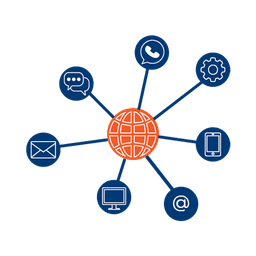
Large File Batch and Near Real Time Singular Sending
Our service includes automated large file batch sending through sFTP data transfer. The data can selectively drive template messaging. Near real-time email sending is facilitated through our API, using templates or dynamic text.
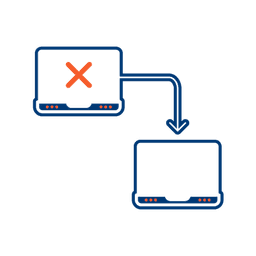
Integrated Failover to the next available channel
Where another channel in our omnichannel platform is unsuccessful in delivering a message, we can automatically fail over to email. Priority and fail over channels are configurable.

Detailed Reporting
Bidvest Data provides near-real-time and periodic aggregate batched reporting on consumer engagement, including link tracking, email delivery status, and customized reports on microsite access.
Ready to Transform Your EMAIL?
Get started today and see immediate results
Frequently Asked Questions
Get answers to common questions about EMAIL