
How to Set Up Email Sending Domain Management: A Comprehensive Guide for Enterprises in South Africa
Discover the complete guide to setting up email sending domain management for your South African enterprise. Enhance security, deliverability, and compliance with proven best practices.
Effective communication is pivotal in today’s fast-paced business environment. For South African enterprises, setting up email sending domain management is a critical step towards ensuring secure, reliable, and compliant email deliveries. This comprehensive guide walks you through the process, benefits, and best practices of effectively managing email sending domains tailored for large organizations, particularly in sectors such as finance, healthcare, and government.
Understanding the Importance of Email Sending Domain Management
Email sending domain management refers to the processes that govern how your organization’s domain is utilized for sending emails. This includes setting up DomainKeys Identified Mail (DKIM), Sender Policy Framework (SPF), and Domain-based Message Authentication, Reporting, and Conformance (DMARC) protocols. Proper management helps in protecting your domain from spoofing, enhancing deliverability, and ensuring compliance with regulations like POPIA (Protection of Personal Information Act).
Key Benefits of Effective Email Domain Management
- Enhanced Deliverability: Proper domain management improves your email deliverability rates, ensuring that your messages reach the intended recipients without being flagged as spam.
- Increased Security: Protects your organization from phishing attacks and email spoofing, thus safeguarding sensitive information.
- Compliance Assurance: Ensures adherence to regulatory standards and helps avoid potential penalties from non-compliance.
- Brand Reputation Management: Strengthens your brand reputation by ensuring your communications are recognized as genuine and trustworthy.
Step-by-Step Guide to Setting Up Email Sending Domain Management
Setting up email domain management requires careful planning and execution. Here’s a detailed step-by-step guide:
Step 1: Choose Your Domain
Select the domain you’ll be using for email communications. This should be your company’s registered domain, as it represents your business.
Step 2: Set Up SPF Records
SPF records specify which mail servers are permitted to send email on behalf of your domain. This is essential in preventing unauthorized use of your domain.
- Access your domain’s DNS settings through your registrar.
- Add a TXT record for your SPF settings, including all servers that send emails for your organization.
- For example:
v=spf1 include:your-email-provider.com -all
Step 3: Configure DKIM
DKIM adds a digital signature to your emails, allowing recipients to verify the sender. This increases deliverability and trustworthiness.
- Generate a DKIM key using your email service provider’s tools.
- Add the DKIM public key to your DNS records as a TXT record.
- Ensure DKIM is enabled in your email settings.
Step 4: Implement DMARC
DMARC builds on SPF and DKIM, providing instructions to the receiving email server on how to handle authentication failures.
- Create a DMARC TXT record in your DNS settings specifying your policy (none, quarantine, or reject).
- Example policy:
v=DMARC1; p=none; rua=mailto:your-reports@yourdomain.com - Monitor the reported data to adjust your policies accordingly.
Best Practices for Ongoing Email Domain Management
Once your email sending domain is set up, maintain it by adhering to the following best practices:
- Regularly review and update your SPF and DKIM records to include new sending platforms.
- Monitor DMARC reports to identify any unauthorized usage of your domain.
- Train your staff on best email practices to prevent phishing and spoofing threats.
- Stay informed about email authentication protocols and adapt to any changes in industry standards.
Conclusion
Setting up email sending domain management is an essential component for any enterprise looking to establish a secure and compliant communication strategy. By following the steps outlined in this guide, South African organizations can enhance their email performance, improve deliverability, and protect their brand reputation in a rapidly evolving digital landscape.
Get Started with Bidvest Data
Bidvest Data offers comprehensive email solutions that include domain management services designed to enhance your enterprise communication. Contact us today for more information.
Key Features Include
Discover our comprehensive solution features designed to transform your business communication experience
Managing your sending domains
We implement your designs, images and artwork for optimal delivery. We measure and manage spam ratings, and we monitor and manage blacklisting and reputation of sending domains.

Zero Rated Data
PDF documents, HTML content, videos and animations can be hosted on our Zero Rated Data domains. Reverse billing of data on these domains ensure access for end users to content at no cost. Bidvest Data offers this service on all South African and Namibian mobile networks.

Customizable
Bidvest Data offers custom-built, screen adaptive, HTML environments, enabling features like animation, rotating GIFs, and interactive buttons in the email body and built into the unique microsite.

Large File Batch and Near Real Time Singular Sending
Our service includes automated large file batch sending through sFTP data transfer. The data can selectively drive template messaging. Near real-time email sending is facilitated through our API, using templates or dynamic text.
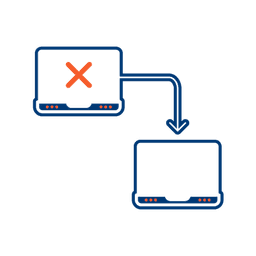
Integrated Failover to the next available channel
Where another channel in our omnichannel platform is unsuccessful in delivering a message, we can automatically fail over to email. Priority and fail over channels are configurable.

Detailed Reporting
Bidvest Data provides near-real-time and periodic aggregate batched reporting on consumer engagement, including link tracking, email delivery status, and customized reports on microsite access.
Ready to Transform Your EMAIL?
Get started today and see immediate results
Frequently Asked Questions
Get answers to common questions about EMAIL