
Complete Setup Guide for Zero Rated Data Email for South African Enterprises
Explore the complete setup process for zero-rated data email services, tailored for South African enterprises. Discover key benefits, configuration steps, and security practices.
In the rapidly changing landscape of business communications, zero-rated data services have emerged as a game-changer for South African enterprises. This comprehensive setup guide delves into the mechanics of implementing zero-rated data email services, ensuring uninterrupted communication for your workforce without the burden of data costs.
Understanding Zero Rated Data Email
Zero-rated data email services provide businesses the advantage of accessing email without data charges through designated networks. This ensures seamless connectivity for employees, especially in under-resourced areas, while maintaining productivity and communication efficiency. With the right configuration, enterprises can empower their teams to stay connected, engaging stakeholders anytime, anywhere.
Key Benefits for Enterprises
- Cost Savings: Negate data charges for employees accessing company emails, particularly helpful for businesses with large teams.
- Increased Accessibility: Ensure uninterrupted access to essential communications, especially in regions with limited internet infrastructure.
- Enhanced Productivity: Employees can focus on their tasks without worrying about data costs or connectivity issues.
- Flexible Integration: Compatible with existing enterprise email solutions to streamline the transition process.
Prerequisites for Setting Up Zero Rated Data Email
Before diving into the setup, ensure your organization meets certain prerequisites to facilitate a seamless installation:
Essential Requirements
- Supported Email Platform: Ensure your company utilizes a compatible email platform like Microsoft Exchange or Google Workspace.
- Service Provider Agreement: Confirm that your mobile network provider offers zero-rated data benefits for email applications.
- Configuration Knowledge: Have IT personnel familiar with configuring network settings essential for activation.
- Device Compatibility: Verify that all employee devices can access the necessary email applications and link with the chosen mobile network.
Step-by-Step Setup Process
Follow this structured process to set up zero-rated data email, ensuring a smooth implementation:
Configuration Steps
- Engage with Your Service Provider: Initiate a conversation with your mobile network provider to inquire about specific zero-rated data options and restrictions.
- Obtain Configuration Instructions: Secure a detailed configuration guide from your provider that outlines necessary settings and procedures.
- Adjust Network Settings: Reconfigure network settings on your email application according to the guidelines provided, ensuring proper functionality on cellular networks.
- Testing: Conduct thorough testing by sending and receiving emails using mobile data to confirm proper setup without incurring data charges.
- Employee Training: Offer training sessions for employees to ensure they understand how to access their emails through zero-rated services and resolve connectivity issues if they arise.
Compliance and Security Considerations
The adoption of zero-rated data email mandates strict adherence to compliance and security protocols to protect sensitive organizational information:
Essential Security Practices
- Data Encryption: Implement encryption protocols for all email communications to prevent unauthorized access.
- User Authentication: Enforce multi-factor authentication for email accounts to enhance security.
- Regular Audits: Conduct routine security audits of email configurations and access logs to identify potential vulnerabilities.
- Compliance with POPIA: Ensure that email practices adhere to South Africa’s Protection of Personal Information Act to safeguard user data.
Future Considerations and Optimization
As your organization adapts to zero-rated data services, consider these long-term strategies for optimizing your email usage:
Optimizing Email Processes
- Monitor Usage Patterns: Analyze data usage trends regularly to adapt plans and optimize service offerings.
- Leverage Automation: Use email automation tools to streamline communication and reduce the burden on your IT department.
- Solicit Feedback: Gather employee feedback regarding email accessibility and functionality to identify potential improvement areas.
Conclusion
Implementing zero-rated data email services can significantly enhance communication capabilities within South African enterprises, leading to improved accessibility and cost efficiency. By following this comprehensive setup guide, organizations can harness the power of uninterrupted email access and ensure their teams remain engaged and productive, irrespective of their location.
Key Features Include
Discover our comprehensive solution features designed to transform your business communication experience
Managing your sending domains
We implement your designs, images and artwork for optimal delivery. We measure and manage spam ratings, and we monitor and manage blacklisting and reputation of sending domains.

Zero Rated Data
PDF documents, HTML content, videos and animations can be hosted on our Zero Rated Data domains. Reverse billing of data on these domains ensure access for end users to content at no cost. Bidvest Data offers this service on all South African and Namibian mobile networks.

Customizable
Bidvest Data offers custom-built, screen adaptive, HTML environments, enabling features like animation, rotating GIFs, and interactive buttons in the email body and built into the unique microsite.

Large File Batch and Near Real Time Singular Sending
Our service includes automated large file batch sending through sFTP data transfer. The data can selectively drive template messaging. Near real-time email sending is facilitated through our API, using templates or dynamic text.
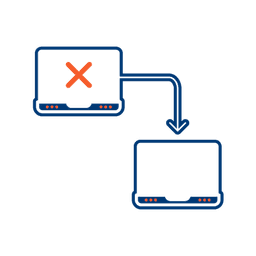
Integrated Failover to the next available channel
Where another channel in our omnichannel platform is unsuccessful in delivering a message, we can automatically fail over to email. Priority and fail over channels are configurable.

Detailed Reporting
Bidvest Data provides near-real-time and periodic aggregate batched reporting on consumer engagement, including link tracking, email delivery status, and customized reports on microsite access.
Ready to Transform Your EMAIL?
Get started today and see immediate results
Frequently Asked Questions
Get answers to common questions about EMAIL