
How to Set Up Email Failover Channels: The Ultimate Guide for South African Enterprises
Discover a comprehensive guide on setting up email failover channels that ensure uninterrupted communication for your enterprise. Learn essential steps tailored for South African businesses.
In an era where effective communication can make or break a business, ensuring uninterrupted email services is paramount for enterprises across all sectors. Email failover channels serve as a safety net, guaranteeing that your essential communications reach their intended recipients without disruption. In this comprehensive guide, we will walk you through the steps to set up email failover channels tailored specifically for the needs of South African corporations, empowering your organization to maintain seamless connectivity even in the face of system failures.
Understanding Email Failover Channels
Email failover channels are backup systems put in place to ensure that emails continue to function properly, even when the primary email server experiences outages or technical issues. By implementing these channels, enterprises can minimize downtime, avoid miscommunication, and enhance productivity. The setup process typically involves multiple layers of redundancy and alternative routing options to ensure reliable delivery.
Key Benefits of Email Failover Channels
- Business Continuity: Ensures that critical communications are not disrupted, thereby maintaining operational efficiency.
- Enhanced Reliability: Increases the reliability of email communications by routing them through alternative servers if the primary one fails.
- Cost Efficiency: Reduces potential losses associated with communication downtimes, which can affect sales and customer relations.
- Scalability: Capable of supporting the growing communication needs of medium to large South African enterprises.
Step-by-Step Guide to Setting Up Email Failover Channels
Step 1: Assess Current Email Infrastructure
Evaluate your existing email infrastructure to determine its capabilities, including the email service provider, server configurations, and existing redundancy measures. Understanding these components will help you identify the necessary additions for a failover setup.
Step 2: Choose a Reliable Backup Email Service Provider
Select a reputable backup email service provider that aligns with your business needs. Look for features such as:
- Integration Options: Ensure compatibility with existing systems.
- Performance Metrics: Look for high uptime guarantees (preferably above 99.9%).
- Support Services: Evaluate the availability of technical support for emergencies.
Step 3: Configure Your DNS Settings
Modify your DNS settings to create redundancy for your email routing. This may involve the following:
- Creating MX records for the backup email server.
- Adjusting priority levels for DNS records to allow failover when the primary server is unavailable.
- Implementing SPF and DKIM settings to authenticate your emails.
Step 4: Implement Automatic Forwarding Rules
Configure your primary email server to automatically forward emails to the backup server during outages. This ensures that all incoming messages continue to be received and stored during disruptions.
Step 5: Set Up Monitoring and Alerts
Establish monitoring tools that alert your IT team in real-time when the primary email server goes down. These tools can automatically switch traffic to the backup server based on defined parameters, ensuring a swift response.
Important Considerations
- Regular Testing: Schedule routine tests to ensure the failover channels work correctly and remain transparent to users.
- Staff Training: Educate your teams on how to manage email communications during failover situations.
- Compliance Checks: Ensure all channels adhere to POPIA and other relevant regulations, especially if sensitive information is exchanged.
Conclusion: Elevate Your Email Resilience
Setting up email failover channels is no longer just an option but a crucial step for enterprises in South Africa that prioritize uninterrupted communication. By following the steps outlined above, organizations can enhance their operational resilience and secure their communication channels against unforeseen disruptions. Investing in a robust email failover strategy will not only safeguard your email communications but also contribute positively to overall organizational efficiency and productivity.
Key Features Include
Discover our comprehensive solution features designed to transform your business communication experience
Managing your sending domains
We implement your designs, images and artwork for optimal delivery. We measure and manage spam ratings, and we monitor and manage blacklisting and reputation of sending domains.

Zero Rated Data
PDF documents, HTML content, videos and animations can be hosted on our Zero Rated Data domains. Reverse billing of data on these domains ensure access for end users to content at no cost. Bidvest Data offers this service on all South African and Namibian mobile networks.

Customizable
Bidvest Data offers custom-built, screen adaptive, HTML environments, enabling features like animation, rotating GIFs, and interactive buttons in the email body and built into the unique microsite.

Large File Batch and Near Real Time Singular Sending
Our service includes automated large file batch sending through sFTP data transfer. The data can selectively drive template messaging. Near real-time email sending is facilitated through our API, using templates or dynamic text.
Integrated Failover to the next available channel
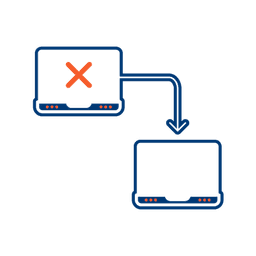
Where another channel in our omnichannel platform is unsuccessful in delivering a message, we can automatically fail over to email. Priority and fail over channels are configurable.

Detailed Reporting
Bidvest Data provides near-real-time and periodic aggregate batched reporting on consumer engagement, including link tracking, email delivery status, and customized reports on microsite access.
Ready to Transform Your EMAIL?
Get started today and see immediate results
Frequently Asked Questions
Get answers to common questions about EMAIL