
The Ultimate Setup Guide for Enterprise Email Systems: Enhancing Communication Security and Efficiency
Explore a comprehensive step-by-step guide on setting up an enterprise email system. Enhance your organization's communication security and efficiency with tailored solutions.
In an era where effective communication is critical for operational success, enterprise email systems stand at the forefront of corporate communication strategies. This comprehensive guide walks IT decision-makers and compliance officers through the essential steps to set up a secure, efficient enterprise email system.
Understanding the Importance of an Enterprise Email System
An enterprise email system is more than just a communication tool; it is a vital component of a company's information technology ecosystem. A well-implemented email system boosts productivity, enhances collaboration, and ensures compliance with legal and regulatory requirements.
Benefits of an Enterprise Email System
- Enhanced Security: Protect sensitive information with secure email protocols and encryption.
- Scalability: Easily adjust the system to accommodate business growth and fluctuating employee needs.
- Compliance and Data Governance: Facilitate adherence to regulations like POPIA with built-in compliance features.
- Advanced Collaboration Tools: Leverage features like calendar scheduling, file sharing, and task management.
Step-by-Step Guide to Setting Up an Enterprise Email System
Step 1: Define Your Requirements
Before selecting a platform, outline the specific needs of your organization, which may include:
- User capacity (number of accounts needed)
- Integration needs with other systems (CRM, ERP)
- Required features (email archiving, custom domains, etc.)
- Security and compliance requirements specific to your industry
Step 2: Choose the Right Email Solution
Selecting the appropriate email platform is crucial. Common options include:
Popular Enterprise Email Solutions
- Microsoft Exchange: Offers extensive collaboration tools and security features.
- Google Workspace: A cloud-based solution with real-time collaboration capabilities.
- Zoho Mail: Focused on privacy and integrates well with business applications.
- Bidvest Data’s Specialized Email Solutions: Tailored solutions with regional support and compliance features.
Step 3: Configure Security Settings
Security is paramount. Key settings to configure include:
- Two-Factor Authentication (2FA): Adds an extra layer of security for user accounts.
- Email Encryption: Protects sensitive information sent via email.
- Spam Filtering: Reduces the risk of phishing and malware attacks.
Step 4: Implement User Training
To maximize the effectiveness of the email system, training should cover:
- Email best practices and etiquette
- Identifying phishing attacks and other security threats
- Utilizing collaboration tools effectively
Step 5: Monitor and Optimize
Post-implementation, continuous monitoring ensures your email system meets evolving business needs:
- Regular usage audits
- Feedback loops with users
- Integration updates to ensure compatibility with new business tools
Best Practices for Ongoing Email Management
Maintain the health of your email system with these best practices:
Email System Maintenance Tips
- Schedule regular system updates to benefit from the latest features and security measures.
- Establish a clear data retention policy to manage old emails and comply with regulatory requirements.
- Encourage users to organize their inboxes to improve productivity and email retrieval.
Key Features Include
Discover our comprehensive solution features designed to transform your business communication experience
Managing your sending domains
We implement your designs, images and artwork for optimal delivery. We measure and manage spam ratings, and we monitor and manage blacklisting and reputation of sending domains.
Zero Rated Data
PDF documents, HTML content, videos and animations can be hosted on our Zero Rated Data domains. Reverse billing of data on these domains ensure access for end users to content at no cost. Bidvest Data offers this service on all South African and Namibian mobile networks.
Customizable
Bidvest Data offers custom-built, screen adaptive, HTML environments, enabling features like animation, rotating GIFs, and interactive buttons in the email body and built into the unique microsite.
Large File Batch and Near Real Time Singular Sending
Our service includes automated large file batch sending through sFTP data transfer. The data can selectively drive template messaging. Near real-time email sending is facilitated through our API, using templates or dynamic text.
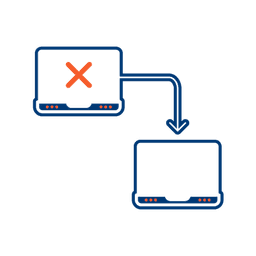
Integrated Failover to the next available channel
Where another channel in our omnichannel platform is unsuccessful in delivering a message, we can automatically fail over to email. Priority and fail over channels are configurable.

Detailed Reporting
Bidvest Data provides near-real-time and periodic aggregate batched reporting on consumer engagement, including link tracking, email delivery status, and customized reports on microsite access.
Ready to Transform Your EMAIL?
Get started today and see immediate results
Frequently Asked Questions
Get answers to common questions about EMAIL