
Comprehensive SMS Smart View Setup Guide for Enterprises in South Africa
Learn how to effectively set up the SMS Smart View system for your enterprise. This detailed guide provides step-by-step instructions to optimize your SMS communications and drive business success.
Setting up an effective SMS Smart View is essential for enterprises looking to enhance their customer communication and streamline operations. This detailed guide provides IT leaders, compliance officers, and operational heads from various sectors in South Africa with the necessary steps and insights to successfully implement the SMS Smart View system. By leveraging this powerful tool, your organization can achieve more efficient messaging workflows, monitor communications effectively, and improve customer engagement.
Understanding SMS Smart View
SMS Smart View is an advanced feature designed to provide businesses with real-time visibility and insights into their SMS communications. It enables organizations to access comprehensive analytics, optimize messaging strategies, and ensure compliance with critical regulations such as POPIA. By offering a centralized dashboard, enterprises can efficiently manage their messaging activities, track performance metrics, and make data-driven decisions.
Key Features of SMS Smart View
- Real-Time Analytics: Monitor message delivery rates, read receipts, and response metrics.
- Comprehensive Reporting: Generate detailed reports to assess performance and improve messaging campaigns.
- User-Friendly Interface: Access an intuitive dashboard that provides at-a-glance insights.
- Automated Alerts: Set up notifications for delivery failures, response delays, and other critical issues.
Step-by-Step SMS Smart View Setup Process
Step 1: Initial Configuration
To initiate the setup of SMS Smart View, follow these steps:
- Access the SMS Portal: Log into your Bidvest Data account using your administrative credentials.
- Navigate to Settings: On the SMS management page, select the 'Settings' option from the menu.
- Enable Smart View: Locate the Smart View option and toggle it on to activate the feature.
Step 2: Customize Dashboard Preferences
Upon enabling SMS Smart View, you can customize your dashboard:
- Choose Metrics: Select which performance metrics are most relevant to your enterprise, such as delivery rates and customer engagement statistics.
- Set Time Frames: Define the reporting periods for analytics to display—daily, weekly, or monthly.
- Save Preferences: After customizing, save your dashboard preferences to ensure your desired view is maintained.
Step 3: Integrate with Existing Systems
For a seamless experience, integrate SMS Smart View with your current communication platforms:
- API Integration: Utilize the Bidvest Data APIs to connect SMS Smart View with other enterprise systems such as CRM and ERP.
- Data Migration: Transfer historical SMS data to track performance trends and establish benchmarks.
- Testing: Conduct thorough testing to ensure that integrations are functioning correctly and data is synchronized accurately.
Step 4: Train Your Team
A successful setup necessitates that all relevant personnel are adequately trained:
- Schedule Training Sessions: Organize sessions for your team to familiarize them with the SMS Smart View features.
- Create User Manuals: Develop easy-to-follow guides detailing everyday tasks and troubleshooting tips.
- Provide Ongoing Support: Establish a support channel for team members to address any questions or issues that arise during usage.
Conclusion: Unlocking the Potential of SMS Smart View
Implementing the SMS Smart View feature provides South African enterprises with the tools necessary to optimize messaging strategies, ensure compliance, and enhance customer communications. By following this comprehensive guide, organizations can properly configure their system and begin capitalizing on the insights offered by SMS Smart View. Invest in this transformative solution today to drive business growth through effective communication.
Want Personalized Assistance?
If you need further help with the SMS Smart View setup or require additional information about Bidvest Data's solutions, don't hesitate to contact our support team.
Key Features Include
Discover our comprehensive solution features designed to transform your business communication experience
Personalized Microsites
Bidvest Data sends on average more than 10 million personalized SMS/SV SMS messages per month, with daily peaks exceeding 2 million messages. This comprises mainly of transactional notifications and hosted transactional data.
Secure and Trackable
The SMS channel delivers a secure, shortened personalized URL to the consumer, directing them to their unique microsite. All consumer activity can be tracked.

Zero Rated Data
PDF documents, HTML content, videos and animations can be hosted on our Zero Rated Data domains. Reverse billing of data on these domains ensure access for end users to content at no cost. Bidvest Data offers this service on all South African and Namibian mobile networks.
Customizable
Bidvest Data offers custom-built, screen adaptive, HTML environments, enabling features like animation, rotating GIFs, and interactive buttons.
Large File Batch and Near Real Time Singular Sending
Our service includes automated large file batch sending through sFTP data transfer. The data can selectively drive template messaging. Near real-time SMS sending is facilitated through our API, using templates or dynamic text.
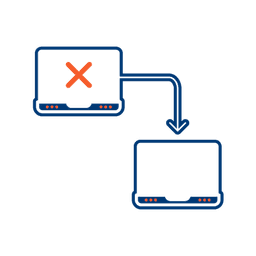
Integrated Failover to the Next Available Channel
Where another channel in our omnichannel platform is unsuccessful in delivering a message, we can automatically fail over to SMS. Priority and fail over channels are configurable.

Detailed Reporting
Bidvest Data provides near-real-time and periodic aggregate batched reporting on consumer engagement, including link tracking, SMS and SV SMS delivery status, and customized reports on microsite access.
Ready to Transform Your Sms And Svsms?
Get started today and see immediate results
Frequently Asked Questions
Get answers to common questions about Sms And Svsms