
How to Customize Email Templates for Enhanced Corporate Communication
Discover how to customize email templates to improve corporate communication. Learn key elements, best practices, and step-by-step guidance tailored for South African enterprises.
In the competitive landscape of modern business, effective communication is crucial for building and maintaining client relationships. Tailoring email templates to meet specific operational and branding needs can significantly enhance engagement rates and foster a professional image. This guide explores the best practices, strategic considerations, and practical steps for customizing email templates, particularly suited for enterprise, corporate, and medium-sized businesses in South Africa.
Understanding the Importance of Customized Email Templates
Generalized email templates often lack the personal touch that enterprises aim for. Customizing email templates not only aligns communications with marketing goals but also enhances customer experience. It allows businesses to:
- Reflect Brand Identity: Tailored templates support your corporate branding, showcasing logo elements, colors, and fonts that resonate with your company ethos.
- Drive Engagement: Personalized emails lead to higher open rates and conversion, as recipients feel more connected to the messaging.
- Enhance Compliance: Custom templates help adhere to legal and regulatory requirements, particularly concerning data protection laws like POPIA in South Africa.
Key Elements for Customizing Email Templates
Creating effective email templates involves consideration of various elements that contribute to their overall effectiveness:
- Personalization Fields: Include dynamic fields that automatically populate with recipient data such as names, company names, and last interactions to create a more personalized experience.
- Brand Consistency: Use consistent logos, color schemes, and typography that align with your brand’s identity across all templates.
- Responsive Design: Ensure that templates are mobile-friendly, as a significant portion of email is read on mobile devices today.
- Clear Call-to-Action (CTA): Design clear and compelling CTAs which instruct recipients on the desired next steps, whether that be scheduling a meeting, signing up for a webinar, or making a purchase.
- Legal Compliance: Incorporate necessary disclaimers and unsubscribe options in line with regulations like POPIA.
Step-by-Step Guide to Customizing Your Email Templates
Follow this practical guide to effectively customize email templates:
Step 1: Define Objectives
Identify the purpose of your emails—whether promotional, transactional, or informational. This will guide the design and content of your templates.
Step 2: Choose an Email Platform
Select a reliable email service provider (ESP) or utilize in-house systems that allow for easy customization and A/B testing capabilities.
Step 3: Design the Template
Using the chosen platform, create your layout by dragging and dropping design elements. Incorporate the previously discussed key elements such as branding, CTAs, and personalization fields.
Step 4: Test for Responsiveness
Preview your email across various devices and applications to ensure proper formatting and readability before sending.
Step 5: Conduct A/B Testing
Experiment with multiple versions of your email templates to gauge performance metrics such as open and click rates, and refine based on feedback.
Conclusion: Elevating Corporate Communication Through Customization
Customizing email templates is not merely about aesthetics; it's a strategic initiative that enhances both customer satisfaction and operational efficiency. By following best practices and fine-tuning based on feedback, South African enterprises can nurture relationships, strengthen brand identity, and drive measurable business success.
Ready to Enhance Your Email Communication?
Explore Bidvest Data's capabilities in customizing email solutions tailored for your enterprise's needs, ensuring compliance, and fostering better client engagement.
Key Features Include
Discover our comprehensive solution features designed to transform your business communication experience
Managing your sending domains
We implement your designs, images and artwork for optimal delivery. We measure and manage spam ratings, and we monitor and manage blacklisting and reputation of sending domains.

Zero Rated Data
PDF documents, HTML content, videos and animations can be hosted on our Zero Rated Data domains. Reverse billing of data on these domains ensure access for end users to content at no cost. Bidvest Data offers this service on all South African and Namibian mobile networks.

Customizable
Bidvest Data offers custom-built, screen adaptive, HTML environments, enabling features like animation, rotating GIFs, and interactive buttons in the email body and built into the unique microsite.

Large File Batch and Near Real Time Singular Sending
Our service includes automated large file batch sending through sFTP data transfer. The data can selectively drive template messaging. Near real-time email sending is facilitated through our API, using templates or dynamic text.
Integrated Failover to the next available channel
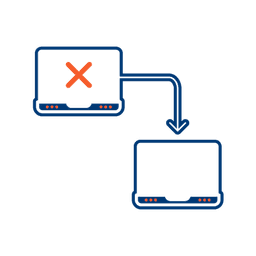
Where another channel in our omnichannel platform is unsuccessful in delivering a message, we can automatically fail over to email. Priority and fail over channels are configurable.

Detailed Reporting
Bidvest Data provides near-real-time and periodic aggregate batched reporting on consumer engagement, including link tracking, email delivery status, and customized reports on microsite access.
Ready to Transform Your EMAIL?
Get started today and see immediate results
Frequently Asked Questions
Get answers to common questions about EMAIL